
A standing workstation becomes truly ergonomic when it reduces physical strain, supports natural body alignment, and allows you to shift positions throughout the day. The most important factors are adjustable height, proper monitor placement, and a supportive surface underfoot. This article walks through the practical questions most people have when setting up or improving a standing workstation.
What features make a workstation truly ergonomic?
An ergonomic standing workstation is one that fits your body rather than forcing your body to adapt to it. The core features are height adjustability, correct monitor and keyboard positioning, and a floor surface that supports prolonged standing. Without all three working together, even a well-intentioned setup can lead to discomfort or injury over time.
Height adjustability is the starting point. Your desk should allow your elbows to rest at roughly a 90-degree angle when your arms hang naturally at your sides. Your monitor should sit at eye level, about an arm’s length away, so you are not tilting your head up or down. A slightly negative keyboard tilt helps keep your wrists neutral and reduces strain on your forearms.
Good ergonomics also means giving your body room to move. A workstation that locks you into one fixed posture, even a technically correct one, will still cause fatigue. The goal is to make small postural adjustments easy and natural throughout your working hours.
How does standing surface affect ergonomic performance?
The surface you stand on has a direct impact on how your body handles prolonged standing. Hard floors like concrete or tile offer no give, which means your joints absorb the full impact of your body weight with every small shift. Over time, this contributes to foot pain, knee discomfort, and lower back tension, all of which undermine the benefits of standing.
A softer, cushioned surface reduces the compressive load on your joints and encourages subtle micro-movements in your legs and feet. These small movements help keep blood circulating, which reduces the heavy, tired feeling that builds up during long periods of standing. This is why the floor beneath a standing workstation is not a secondary consideration but a functional part of the ergonomic setup itself.
What’s the difference between an anti-fatigue mat and a standard floor mat?
An anti-fatigue mat is specifically designed to reduce the physical strain of standing for extended periods, while a standard floor mat is primarily intended for safety, cleanliness, or surface protection. The key difference lies in the material composition and the way each mat responds to pressure.
Anti-fatigue mats are made from materials that compress slightly under your weight, encouraging your leg muscles to contract and relax in small, continuous cycles. This gentle muscle activity improves circulation and reduces the static load on your joints. Standard floor mats, by contrast, are typically flat and firm, offering little to no cushioning benefit.
For a standing workstation, using a standard mat instead of an anti-fatigue mat means you are getting the look of a solution without the functional benefit. If reducing worker fatigue and supporting employee well-being is the goal, the material and construction of the mat matters significantly.
How long should you stand at a standing workstation each day?
Most occupational health guidance suggests alternating between sitting and standing rather than committing fully to one or the other. A commonly recommended pattern is to stand for 30 to 45 minutes per hour, then sit for the remainder, though the right balance varies from person to person depending on fitness level, existing conditions, and the nature of the work.
Starting gradually is practical advice for anyone new to standing work. Beginning with 15 to 20 minutes of standing per hour and building up over several weeks gives your body time to adapt. Standing all day without a transition period often leads to the same problems that sitting all day creates: fatigue, discomfort, and reduced productivity.
Listening to your body is important here. If you feel persistent discomfort in your feet, knees, or lower back, it is a signal to adjust either the duration, the surface you are standing on, or the height of your workstation.
What type of mat is best for a standing workstation?
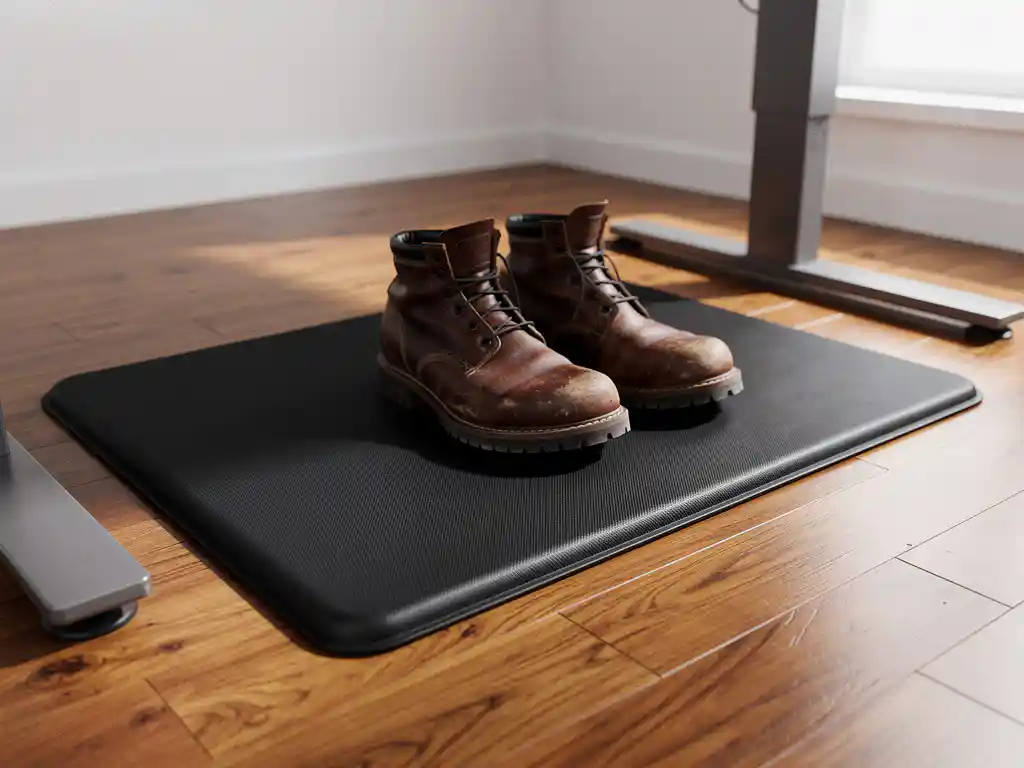
The best mat for a standing workstation is a rubber anti-fatigue mat with enough thickness to cushion your joints but enough firmness to keep you stable. Mats that are too soft can create instability and actually increase leg muscle fatigue, while mats that are too thin provide little benefit over a bare floor.
Rubber is a particularly practical material for this application. It is durable, non-porous, and easy to clean, which matters in both office and industrial settings. Rubber mats also hold their shape over time and do not compress permanently the way foam alternatives often do. For heavy-use environments or workstations where multiple people rotate through the same station, a fiber-reinforced rubber mat offers additional longevity.
Beveled edges are a useful feature to look for, as they reduce the trip hazard at the mat’s perimeter. A textured surface also helps with grip, which reduces slip risks when the mat is in a wet or high-traffic area.
Should you wear shoes or stand barefoot on an ergonomic mat?
Wearing supportive footwear while standing at a workstation is generally more effective than standing barefoot, even on a high-quality anti-fatigue mat. Shoes with arch support and cushioning add another layer of protection for your joints and help distribute your body weight more evenly across your foot.
Standing barefoot on a mat can work for short periods and may feel comfortable initially, but it removes the structural support that footwear provides. For people who stand for several hours a day, this can lead to plantar fasciitis or arch fatigue over time. If barefoot standing is preferred for personal or cultural reasons, a thicker mat with a contoured surface can partially compensate for the lack of shoe support.
The combination of supportive shoes and a quality anti-fatigue mat gives you the best outcome for reducing standing fatigue and protecting long-term joint health. Neither alone is as effective as both working together.
At LRP Matting, we design rubber anti-fatigue mats built for exactly this kind of daily, demanding use. Whether you are outfitting a single standing desk or an entire production floor, our mats are made from 100% recycled rubber and built to hold up over the long term. If you are ready to improve comfort and reduce standing fatigue at your workstation, explore our anti-fatigue matting solutions to find the right fit for your environment.
Frequently Asked Questions
How do I know if my anti-fatigue mat is worn out and needs replacing?
The most reliable sign is a noticeable loss of cushioning — if the mat feels nearly as hard as the floor beneath it, the material has compressed beyond its functional range. You can also do a simple visual check: permanent indentations, surface cracking, or curling edges all indicate the mat has reached the end of its useful life. For high-use workstations, it’s worth inspecting your mat every six months, as a worn-out anti-fatigue mat provides little more benefit than standing on a bare floor.
Can I use the same anti-fatigue mat for both sitting and standing positions if I have a sit-stand desk?
Yes, and it’s actually a practical approach for sit-stand desk users. When you transition to sitting, the mat simply sits unused under your feet or off to the side — it doesn’t interfere with your chair. The key is to position the mat so it’s easy to step onto when you shift to standing mode, without creating a trip hazard when you roll your chair back. Some users prefer mats with a low-profile beveled edge specifically for this reason, as they’re easier to navigate around with a rolling chair.
What's the ideal thickness for a standing workstation anti-fatigue mat?
For most standing workstation applications, a mat thickness between 3/8 inch (about 9mm) and 3/4 inch (about 19mm) hits the right balance between cushioning and stability. Thinner mats under 3/8 inch offer minimal fatigue relief, while mats thicker than 3/4 inch can feel unstable underfoot and actually increase leg muscle effort. If you’re standing on a particularly hard surface like concrete, leaning toward the thicker end of that range will give you noticeably better joint protection over long shifts.
Are there specific exercises or stretches I should do at my standing workstation to reduce fatigue further?
Simple micro-movements throughout the day make a significant difference — shifting your weight from one foot to the other, doing calf raises, or placing one foot on a small footrest and alternating between feet all help maintain circulation. A brief 2–3 minute stretching routine every hour, targeting your calves, hip flexors, and lower back, can prevent the muscle tightening that builds up during prolonged standing. These movements work synergistically with your anti-fatigue mat rather than replacing it — the mat handles passive load reduction while active movement handles circulation and muscle recovery.
How do I choose the right mat size for my standing workstation?
Your mat should be large enough to cover the full range of positions you naturally stand in, not just the spot directly in front of your desk. A width of at least 24 inches and a length of 36 inches is a practical starting point for a single-person workstation, as it gives you room to shift your stance and step back slightly without stepping off the mat. For workstations where you frequently move side to side — such as at a long production bench or a dual-monitor setup — a wider or longer mat will better support your full range of motion.
Can anti-fatigue mats be used on carpet, or are they only effective on hard floors?
Anti-fatigue mats can be placed on carpet, but their effectiveness is reduced because the carpet itself already provides some give, and the combination can create an unstable, overly soft surface underfoot. If carpet is unavoidable, look for a mat with a flat, non-slip bottom rather than a textured or spiked backing, which is designed for hard floors. On hard flooring — concrete, tile, or hardwood — anti-fatigue mats deliver their full ergonomic benefit and are strongly recommended for any workstation where standing exceeds 30 minutes at a time.
Is a standing workstation setup suitable for people with existing back or joint conditions?
Standing workstations can be beneficial for people with certain back conditions, particularly those aggravated by prolonged sitting, but the setup needs to be approached carefully and ideally in consultation with a physiotherapist or occupational health professional. The key adjustments are ensuring the desk height is precisely calibrated to your body, using a quality anti-fatigue mat, and keeping standing intervals shorter than average when starting out. People with conditions like plantar fasciitis, varicose veins, or knee osteoarthritis should be especially attentive to footwear support and mat thickness, as these factors become more critical when underlying vulnerabilities are already present.
Related Articles
- How does flooring affect workplace comfort?
- What makes a sports surface safe?
- What areas of a facility have the highest slip risk?
- What flooring works best under heavy sports equipment?
- What is the best way to protect a sports facility floor from heavy equipment?
- How do you clean and maintain a horse trailer floor?
- How do you keep a horse stall floor from getting slippery when wet?
- How do you know if your factory floor is causing worker fatigue?
- What is the best flooring for a horse stable grooming area?
- How do you insulate a horse stall floor in winter?